MCP (Model Context Protocol)
You can connect Miguo AI to your AI tools via MCP, such as Codex, Claude, and Cursor.
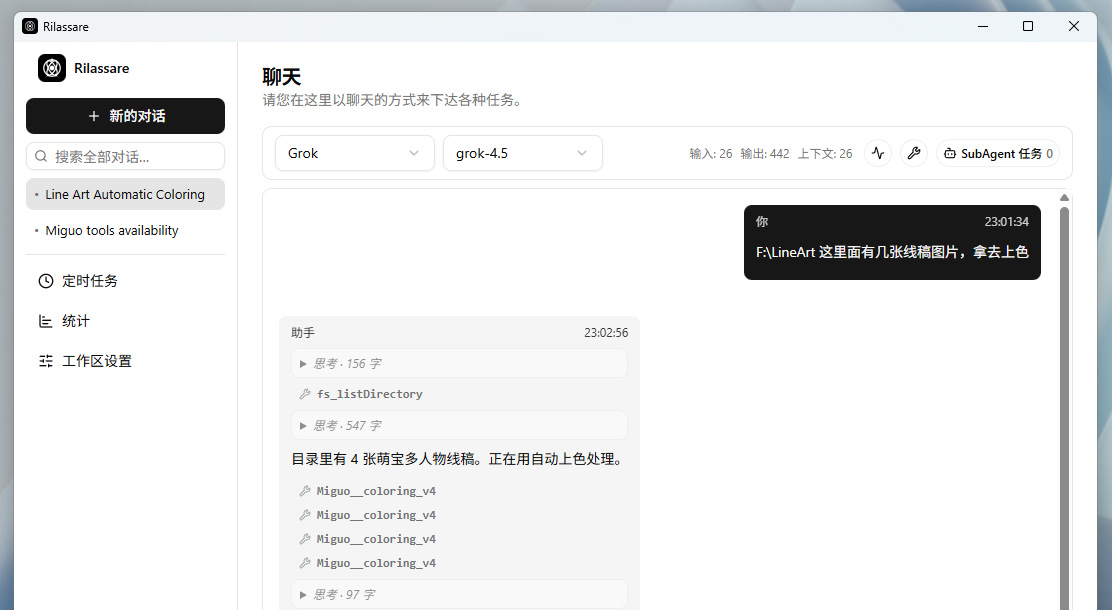
Once connected, you can use Miguo AI right inside your AI tools to perform tasks like line art generation, flat coloring, refined coloring, and image layer separation.
This allows you to have AI perform drawing tasks in bulk, or call Miguo AI via code.
Endpoint
https://factory.miguocomics.com/api/mcp/v1
Configuration examples
Run in your terminal:
claude mcp add --transport http miguo-factory https://factory.miguocomics.com/api/mcp/v1 --header "x-api-user: YOUR_ACCOUNT_ID" --header "x-api-token: YOUR_API_TOKEN"
Formats may change with client versions. Replace YOUR_API_TOKEN with your own token, then refer to each client's documentation.
Image upload failures
Normally your AI tool should upload images automatically. If it fails to do so, ask the LLM to re-read the server instructions, or try a different AI tool.
Account info & API Token
Go to the account center to get your account ID and API Token.
Account Center